• Pregnancy to first birthday
  • No account
  • No ads

The pregnancy & baby companion

With you from the bump.
And every bedtime after.

Amelia helps you get ready for the birth, for free: week by week, a guided birth plan, a calm contraction timer and every list for the big day. When your baby arrives, she switches to one-tap sleep and feeds, and learns when the next nap is due.

Download on theApp Store

Free on iPhone · 5 languages
Every pregnancy tool is free

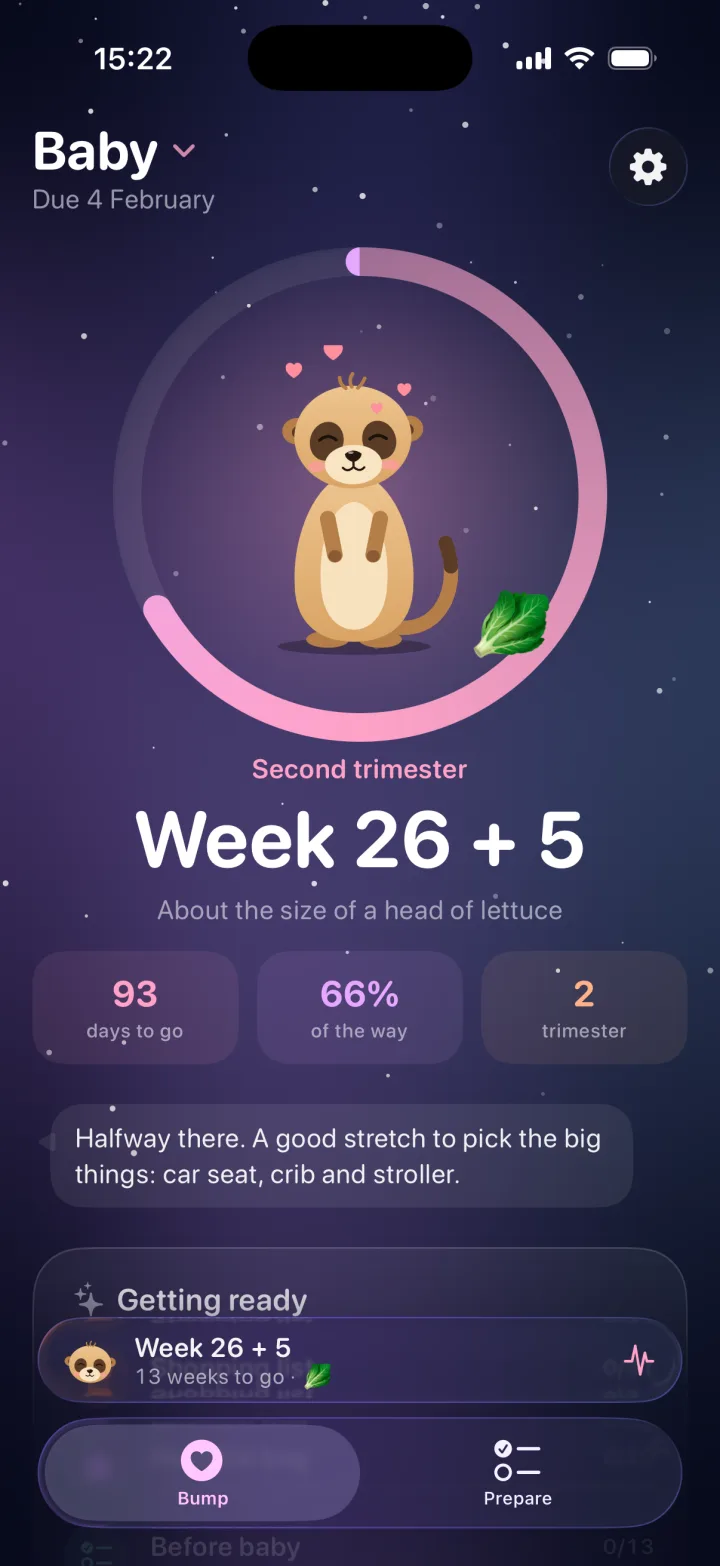
Pregnancy mode: week 26 plus 5, about the size of a head of lettuce
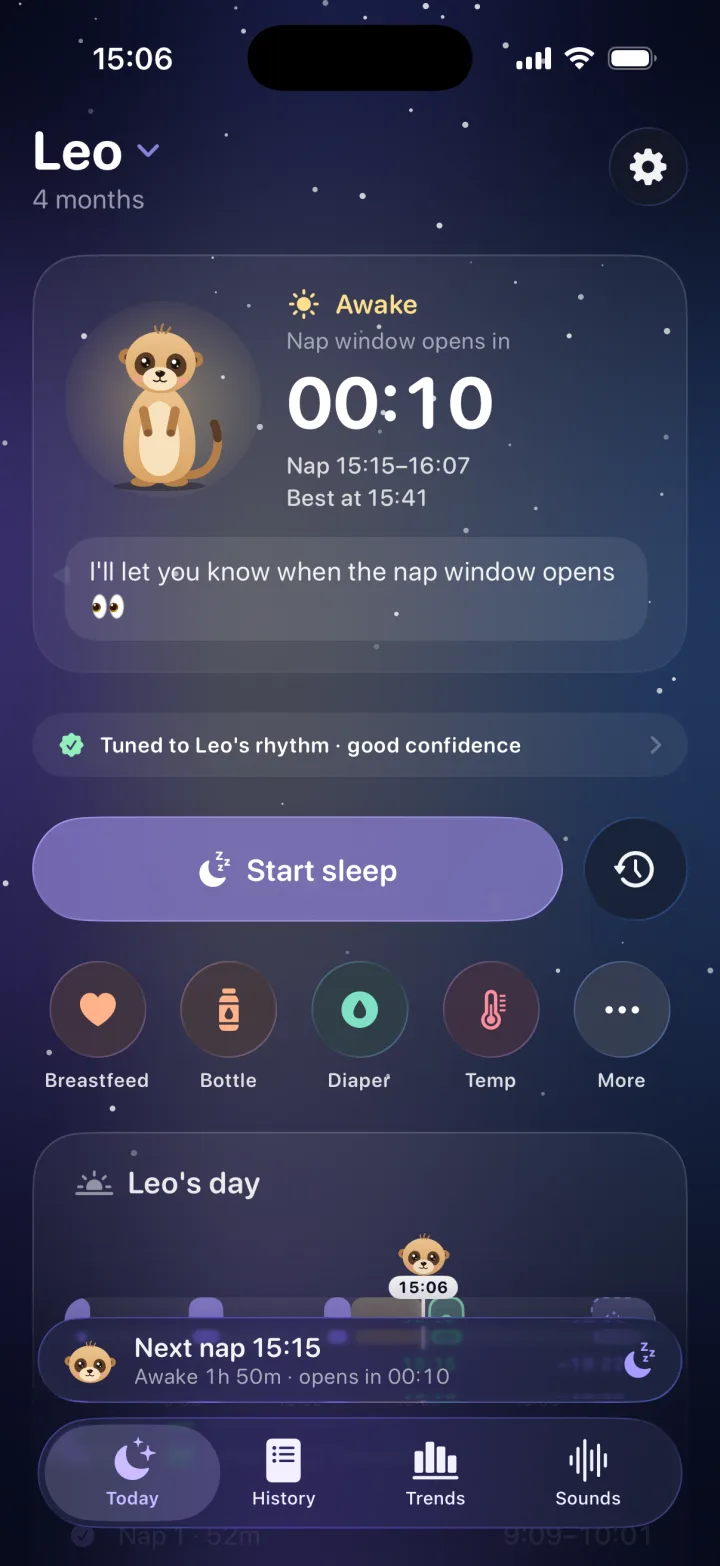
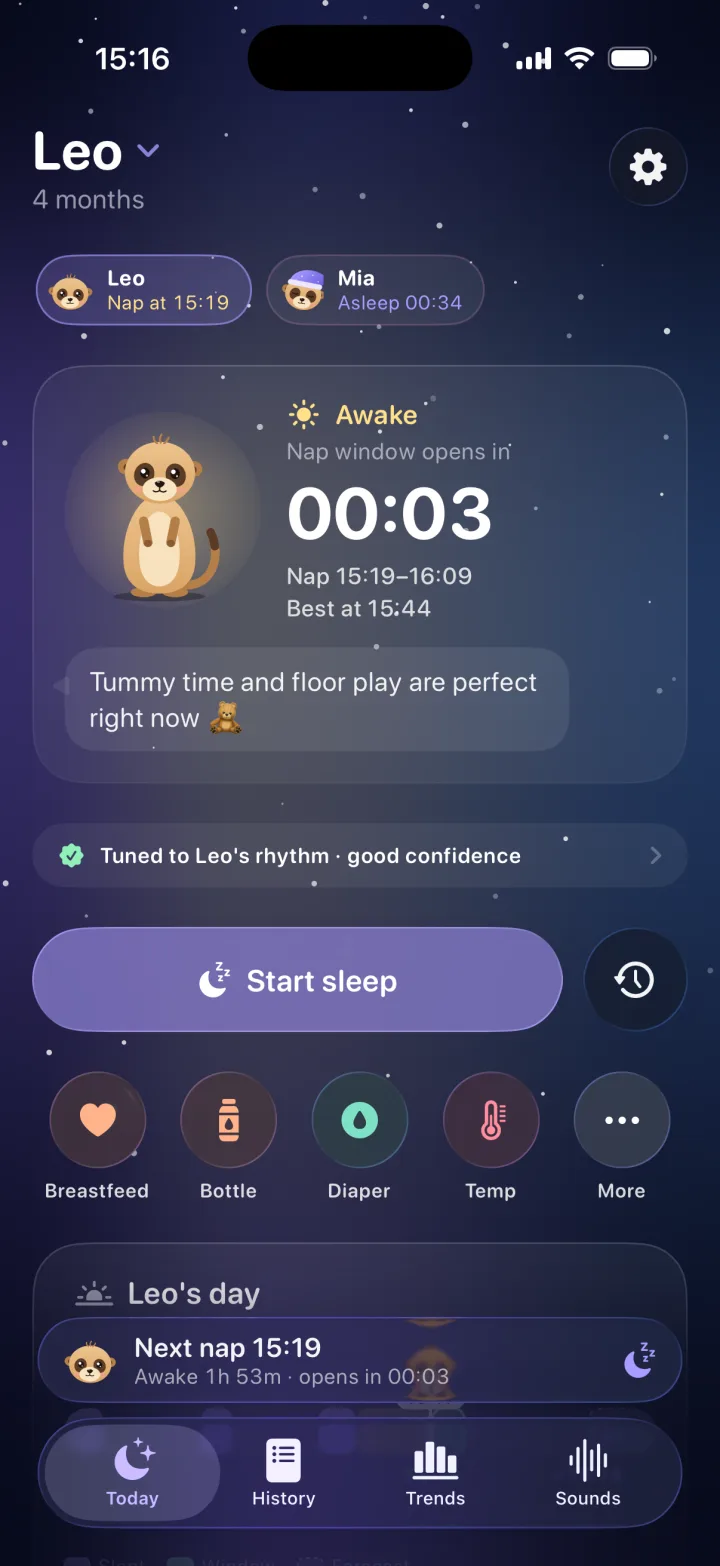
Baby mode: Leo is awake and the nap window opens in 10 minutes
AmeliaHi! I'm Amelia.
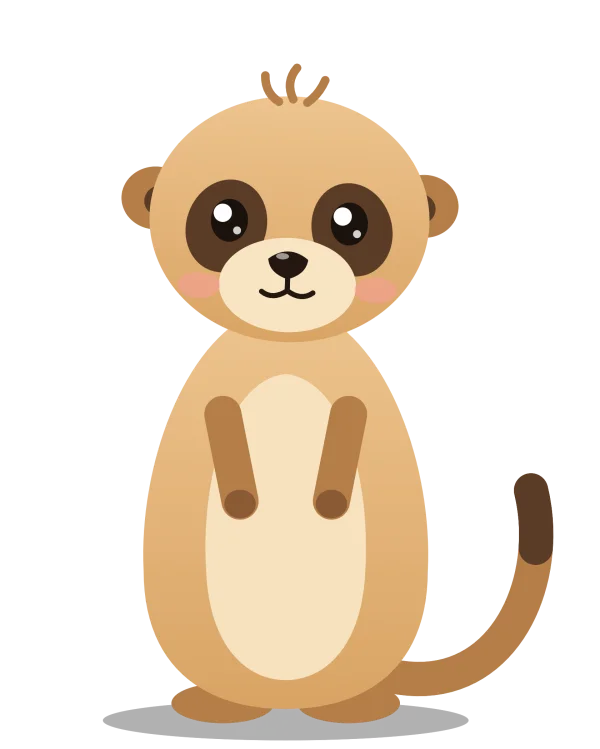
Amelia the meerkat, waving
Week by weekKick countsBirth planHospital bagContractionsChecklistsNapsNight sleepBreastfeedingBottlesDiapersGrowthMilestonesWhite noisePumpingMedicine

Sound familiar?

Nine months of lists.
Then a lifetime of nights.

A birth plan template that reads like a legal form. Contraction times on a sticky note. Then a note that says “fed 2:10??” and still no idea when the next nap is.

With Amelia

One calm place,
bump to bedtime.

Every week of the pregnancy, every list and every contraction. Then every nap, feed and diaper, one tap away. Same app, same Amelia, nothing to move over.

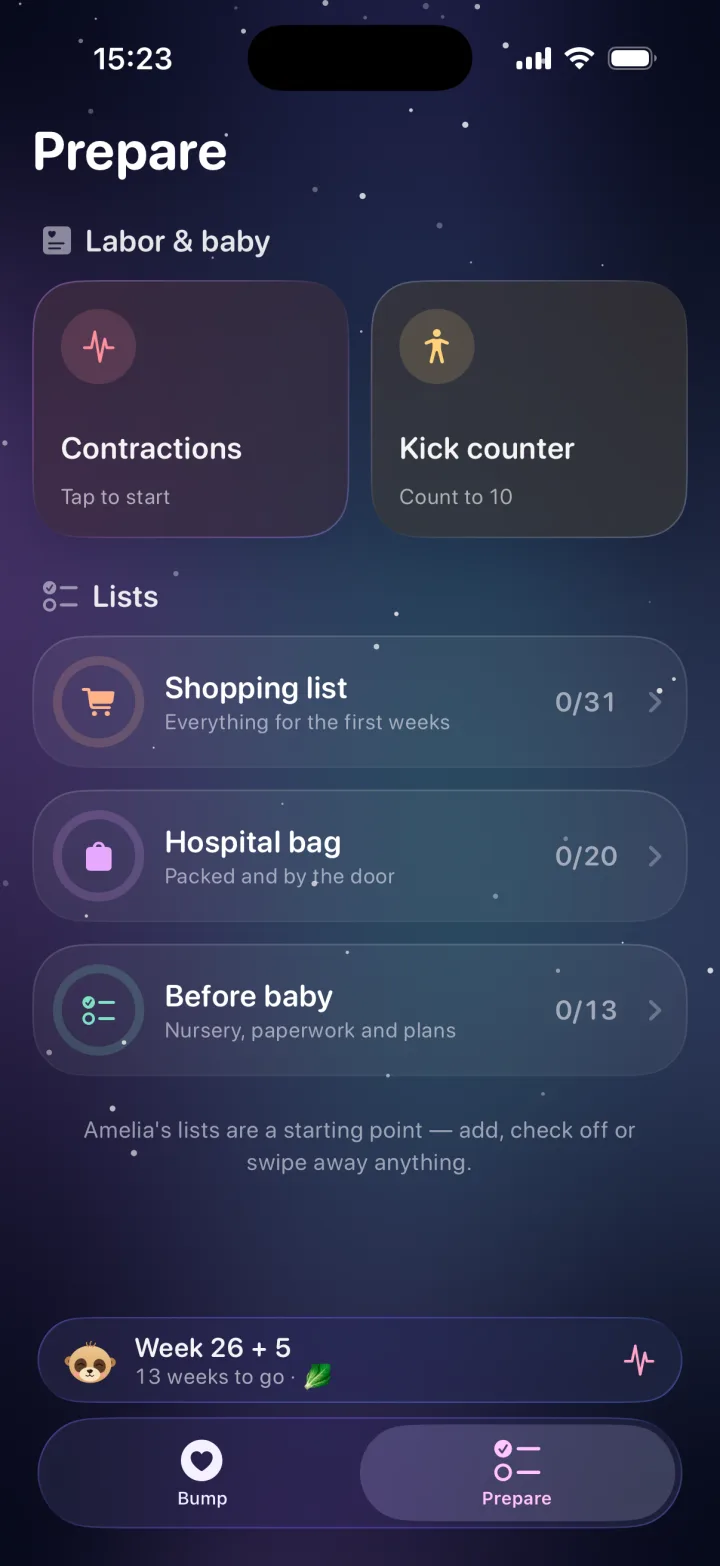
Prepare: contractions, kick counter and checklists
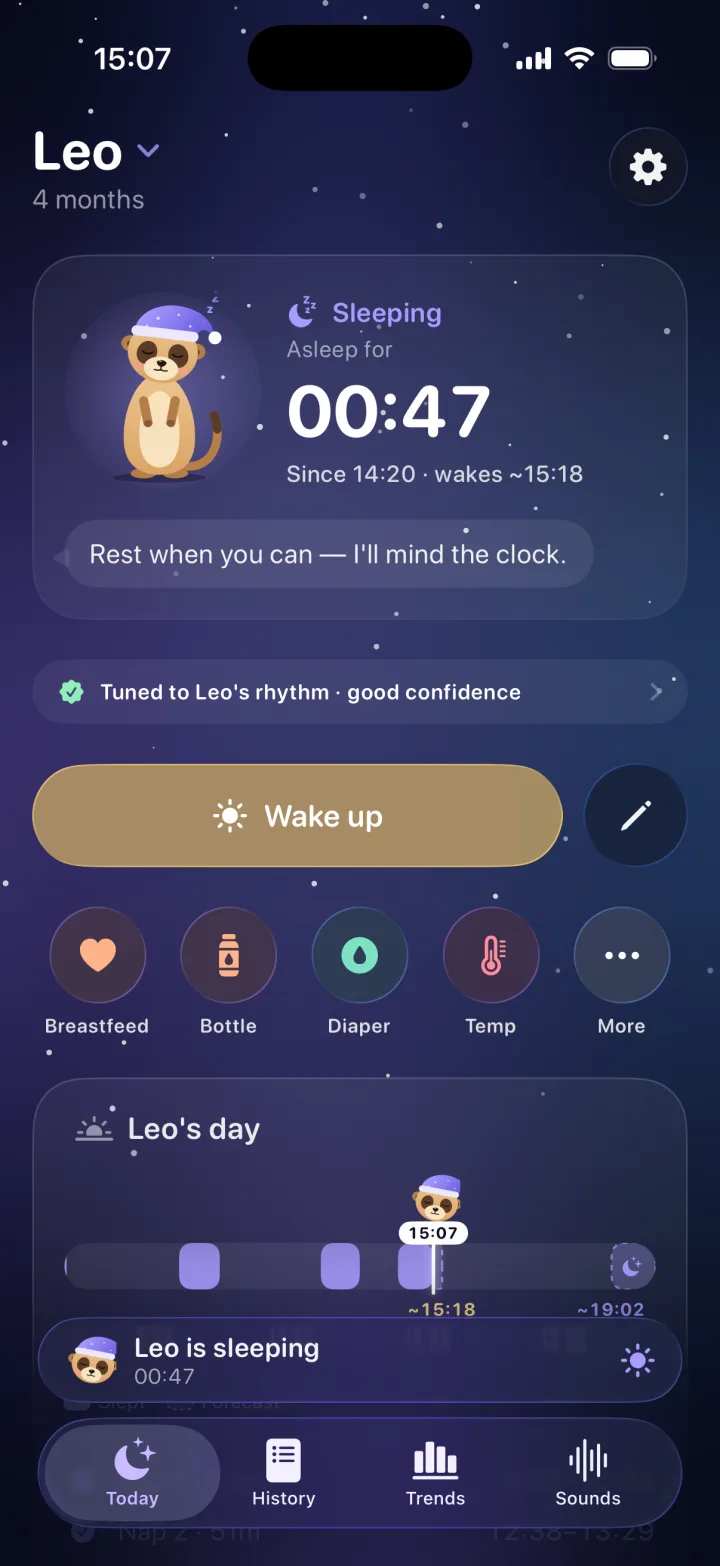
Leo has been asleep for 47 minutes

Act one · While you're expecting

Nine months,
gently planned.

Everything for the pregnancy is free, for the whole pregnancy: week by week, a kick counter, a guided birth plan, a calm contraction timer and every list for the big day, shared with your partner.

01 / 10

The problem“Week 26. Is that a lettuce or a melon?”

✓ With Amelia · Free

The bump,
week by week.

Every week brings a new size, a small to-do and a friendly word from Amelia. Count kicks, see how far along you are and get ready without the overwhelm.

  • Weekly size, progress and tips
  • Kick counter
  • Gentle nudges at the right weeks
Week 26 plus 5: about the size of a head of lettuce
Week 26 + 5
🥬A head of lettuce

02 / 10

The problem“A birth plan template that reads like a legal form.”

✓ With Amelia · Free

A birth plan,
written together.

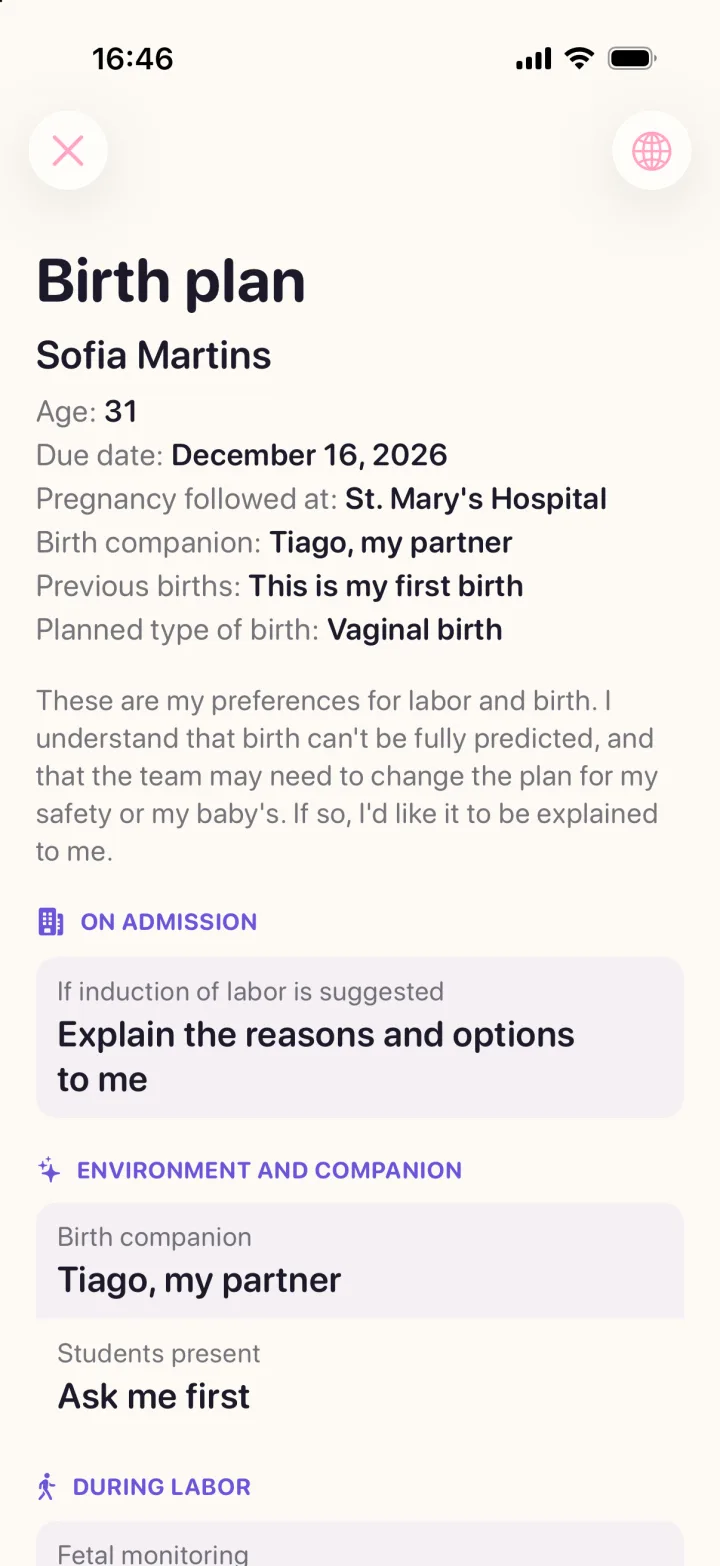
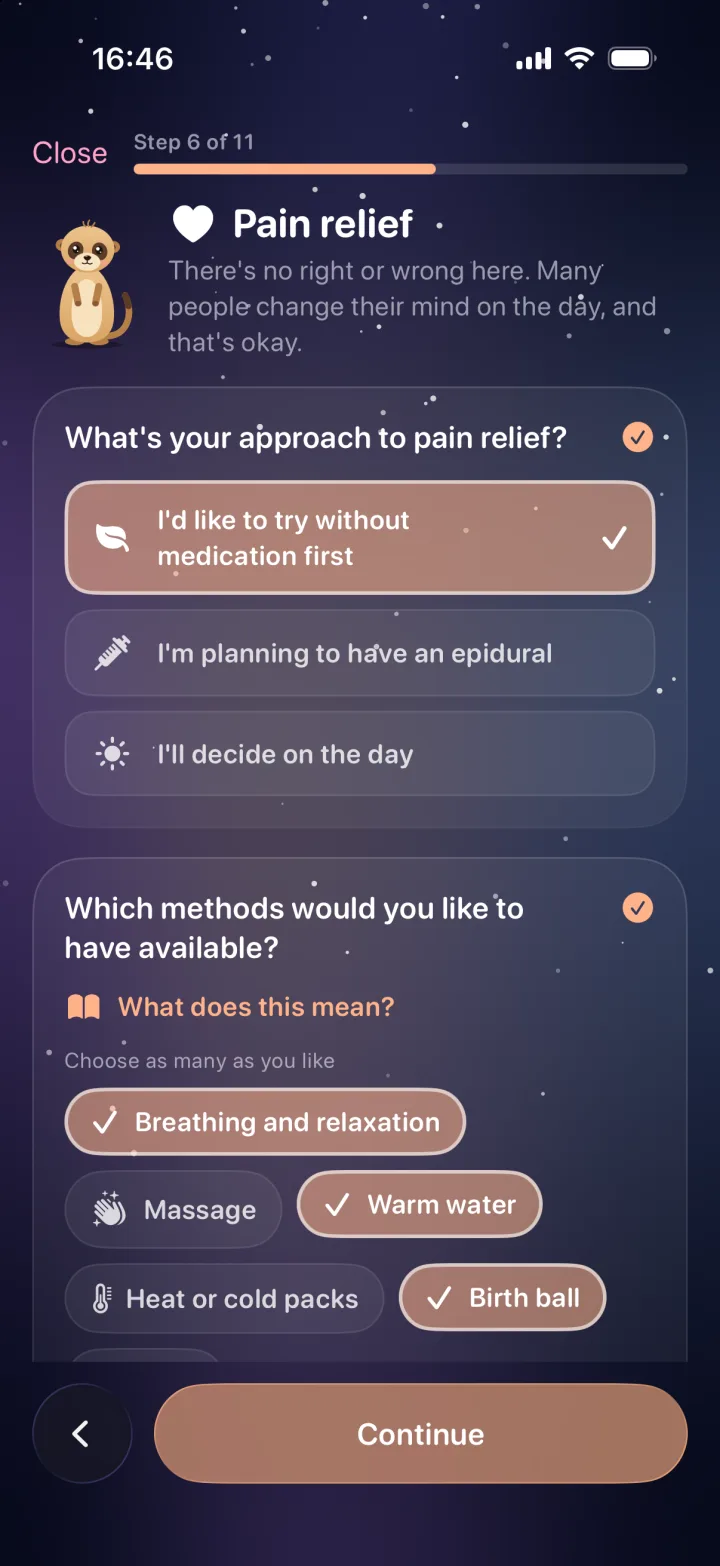
Amelia turns it into a calm chat: eleven short steps, every medical term explained in plain words, and a clear page for the care team. Share it as a PDF in any of Amelia's five languages.

  • 11 guided steps with Amelia
  • “What does this mean?” on every term
  • Large-type view and PDF for the team
The finished birth plan, ready for the care team
Birth plan step 6 of 11: pain relief

03 / 10

The problem“Timing contractions on the back of a receipt.”

✓ With Amelia · Free

The calm
contraction timer.

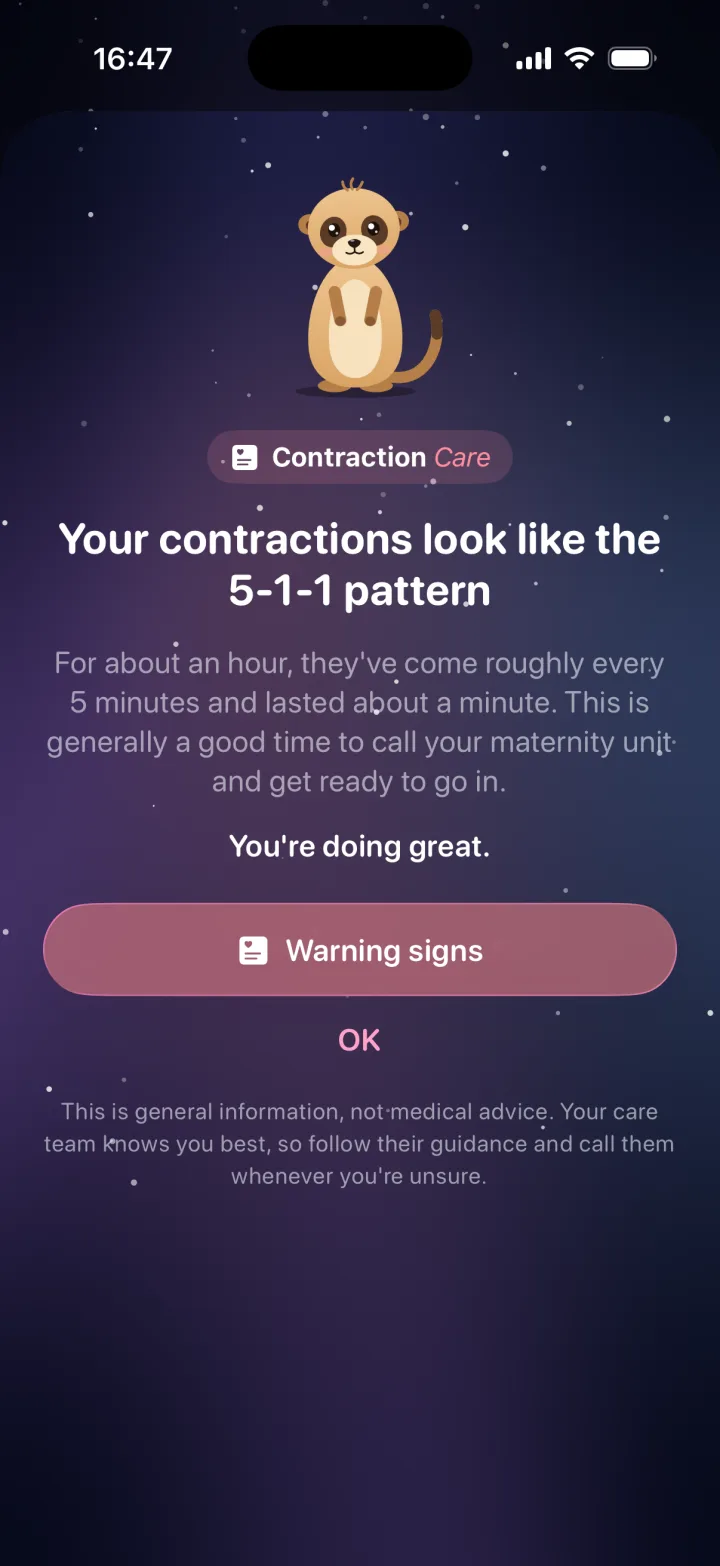
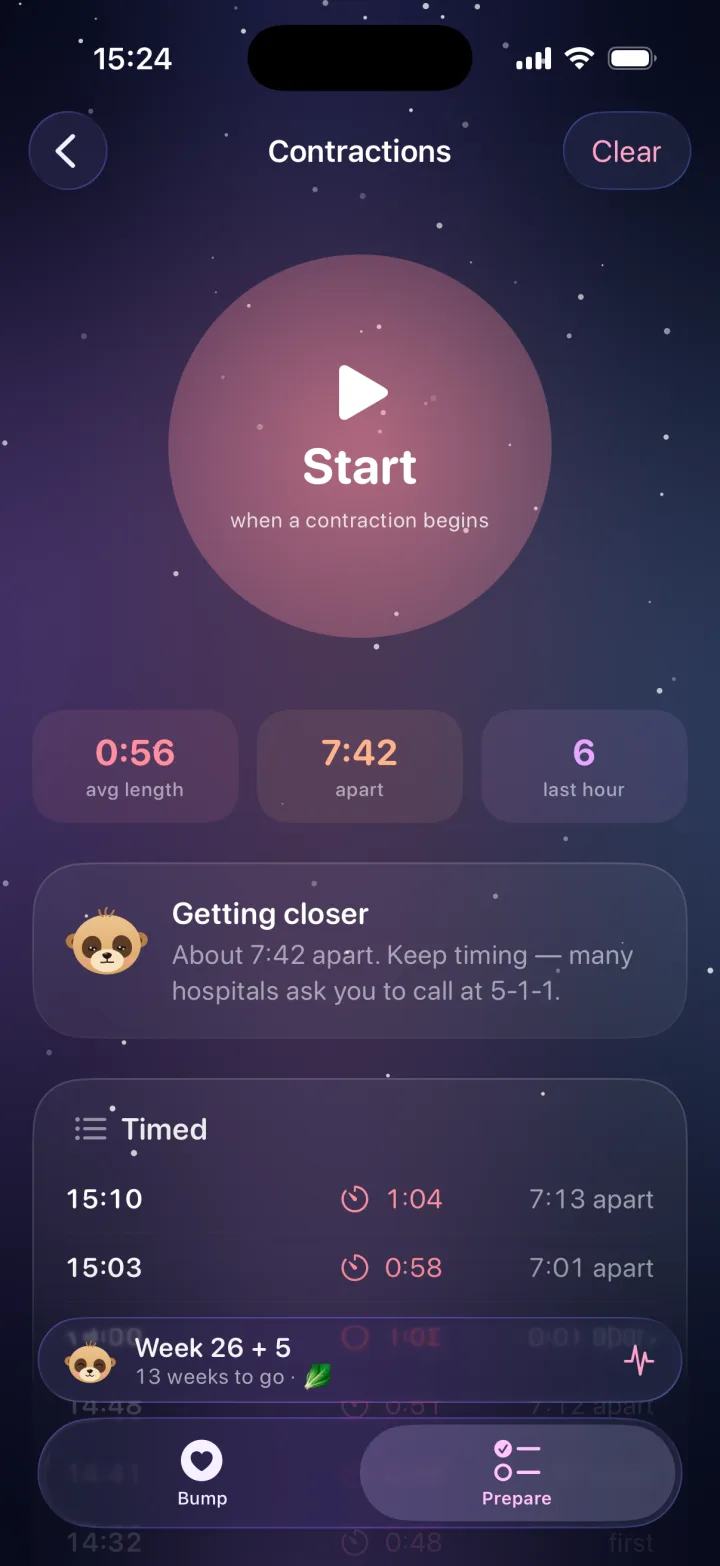
Tap when one starts, tap when it ends. Amelia keeps the count, lets you know when they reach the 5-1-1 pattern and keeps the maternity unit's number one tap away. General guidance that always points to your care team.

  • One-tap timer, also on the Lock Screen
  • A heads-up at the 5-1-1 pattern
  • Warning signs, explained calmly
Contraction Care: your contractions look like the 5-1-1 pattern
Contraction timer with average length and spacing

04 / 10

The problem“One hospital bag list on the fridge, another one on your partner's phone.”

✓ With Amelia · Free

Every list for the big day.
Shared.

31 things for the first weeks, 20 for the hospital bag and 13 to-dos before the birth. Amelia's lists give you a head start you can change, and your partner sees every tick on their own iPhone.

  • Shopping list, hospital bag and before-baby to-dos
  • Add, edit or remove anything
  • Every tick syncs with your partner through iCloud
Prepare: contractions, kick counter, shopping list, hospital bag and to-dos
Hospital bag
14 / 20Tiago ticked “snacks”

Act two · Hello, baby

Then the nights begin.
Amelia's ready.

The day your baby arrives, tap “My baby is here” and Amelia switches to baby mode. Your lists, your partner and your history all stay right where they are.

05 / 10

The problem“She was fine a minute ago. Then the tears.”

✓ With Amelia

Know the next nap
before the tears.

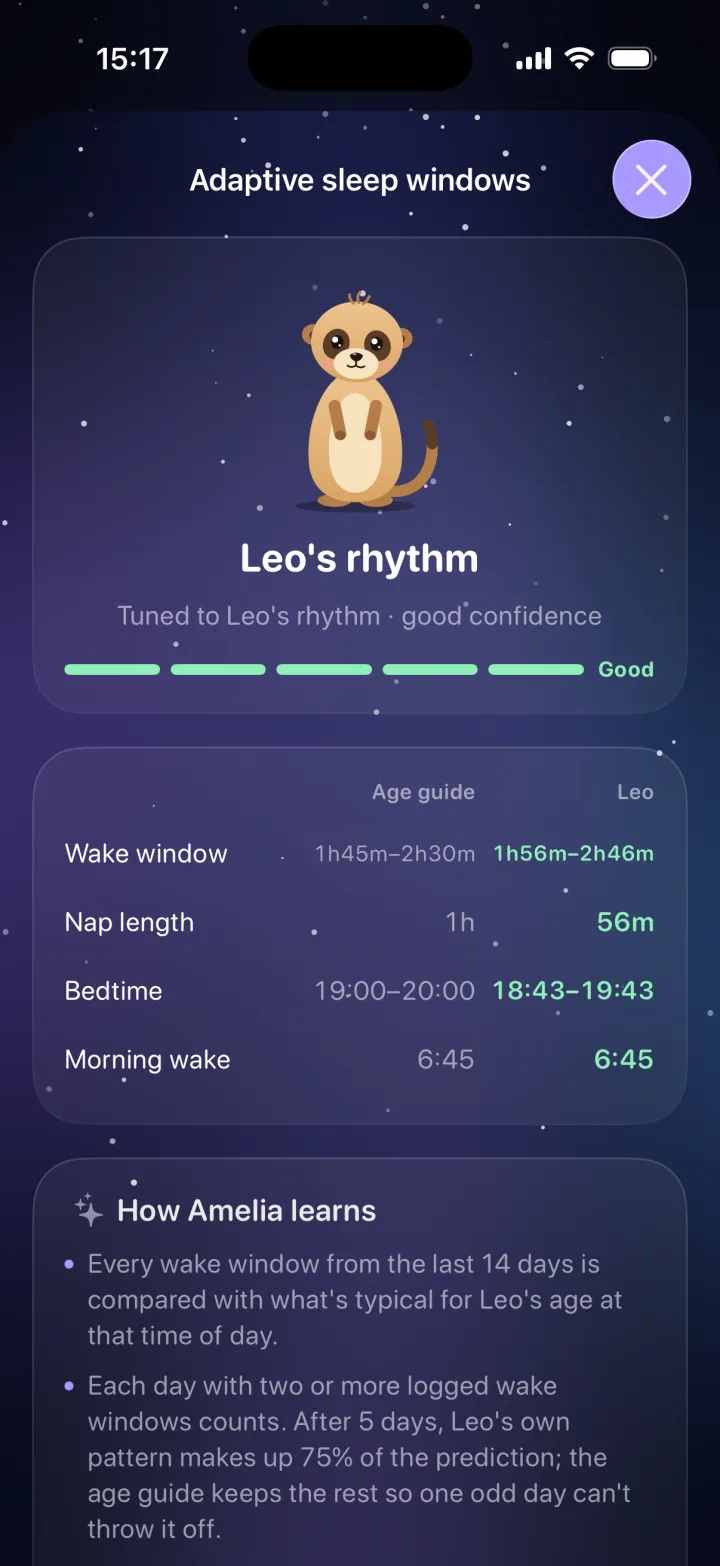
Overtired babies fight sleep. Amelia counts down to the next nap window from the moment your baby wakes, and after five days of naps she tunes it to your baby's own rhythm, not a textbook.

  • Nap window countdown, from the age guide
  • Tuned to your baby's rhythm Plus
  • Bedtime and morning wake suggestions
Adaptive sleep windows: Leo's rhythm compared with the age guide
Wake window
1h 56mLeo, not the chart

06 / 10

The problem“Unlock, find the app, find the button… with a baby asleep on one arm.”

✓ With Amelia

One tap.
Shh, he's sleeping.

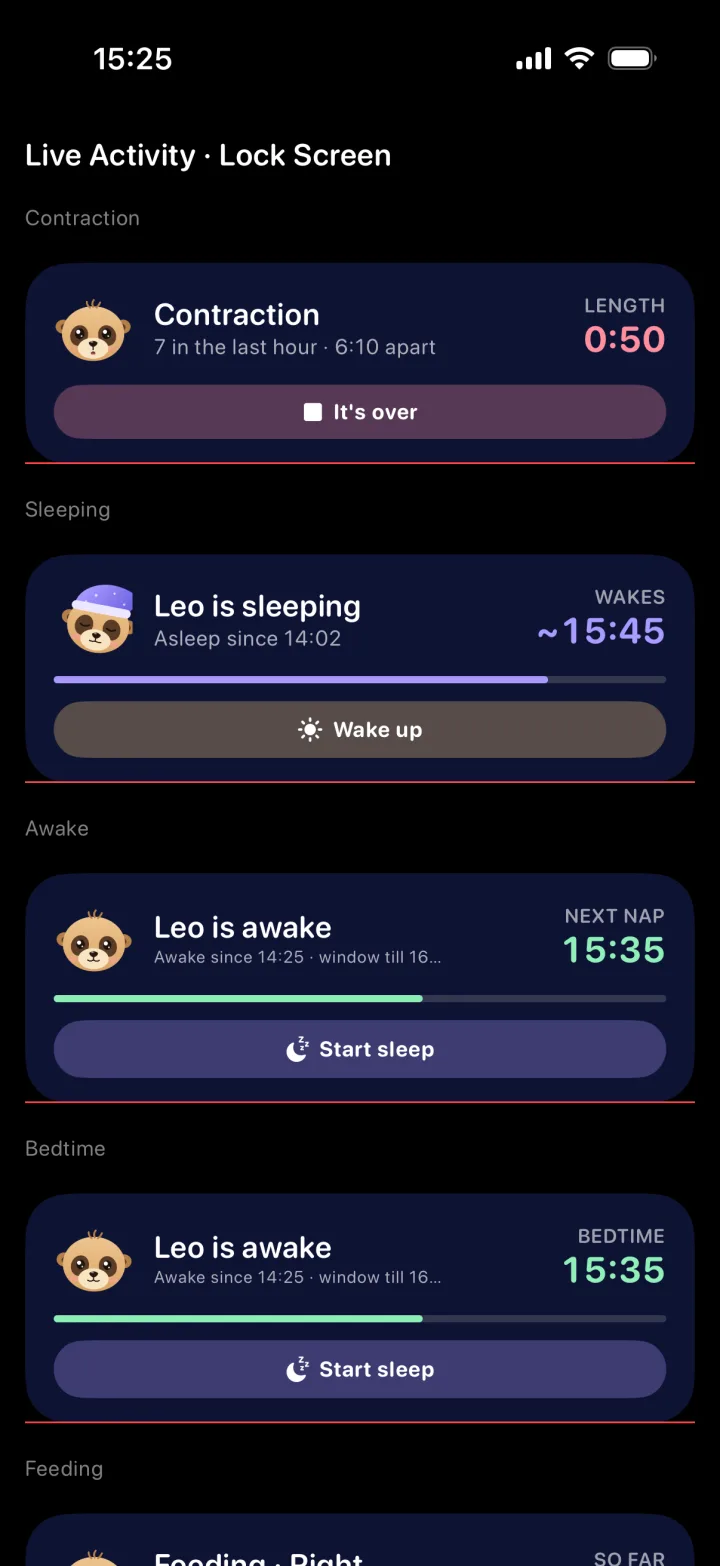
Start a nap from the app, a widget or right from the Lock Screen. A Live Activity keeps the timer in the Dynamic Island, and the Wake up button is right there when the eyes open.

  • Live Activities and Dynamic Island
  • Home Screen and Lock Screen widgets
  • Siri and Shortcuts: “Hey Siri, Leo's asleep”
Live Activities on the Lock Screen: sleeping, awake and contraction timers

07 / 10

The problem“Left or right? At 3 a.m. nobody remembers.”

✓ With Amelia

Left or right?
Amelia remembers.

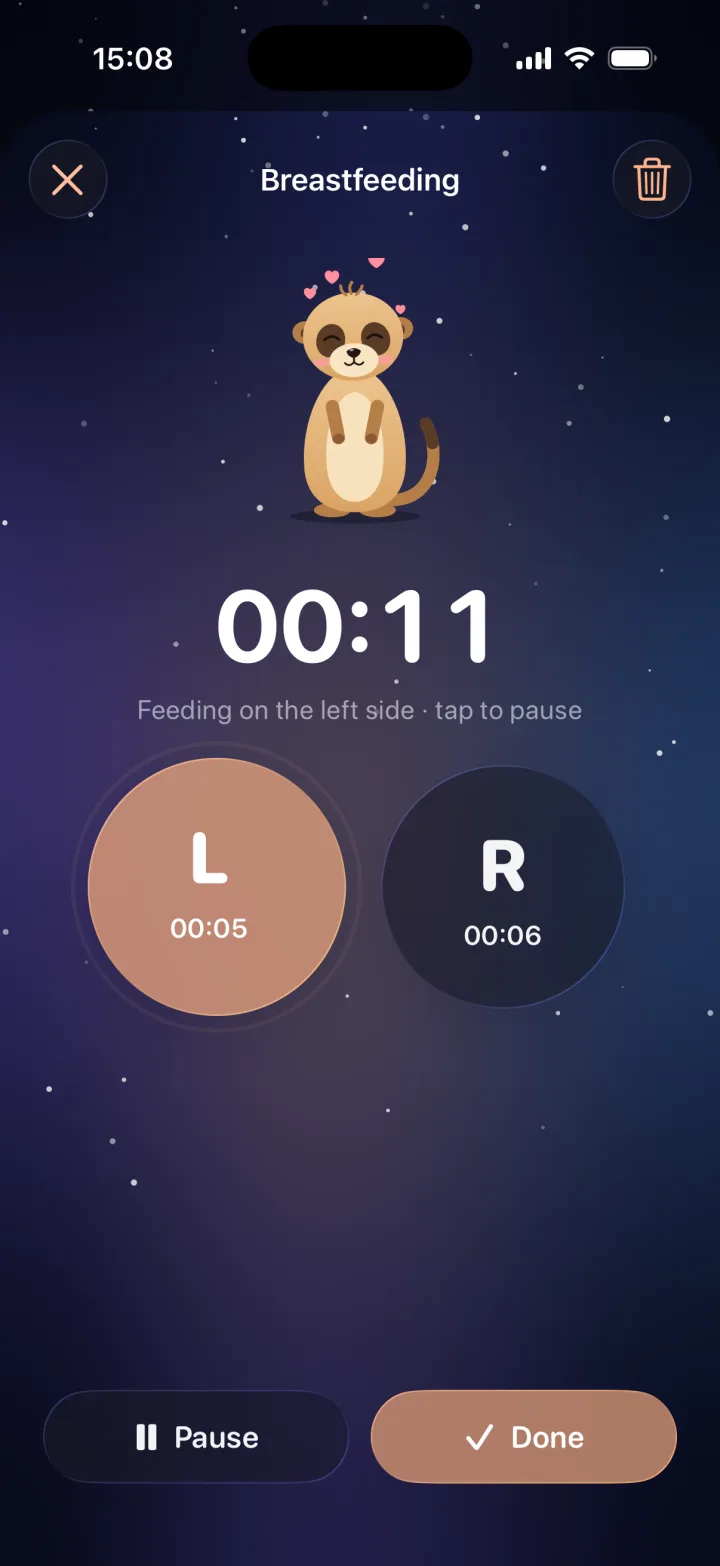
Time each side, pause, switch and finish, all with one thumb. Next time, Amelia tells you which side to start on. Bottles, pumping and solids live right next to it.

  • Breastfeeding timer, side by side
  • Bottles, pumping and solids
  • Diapers, temperature, medicine and growth
Breastfeeding timer with left and right sides

08 / 10

The problem“Forty minutes of shushing. Arms aching. Still awake.”

✓ With Amelia

White noise that
fades out on its own.

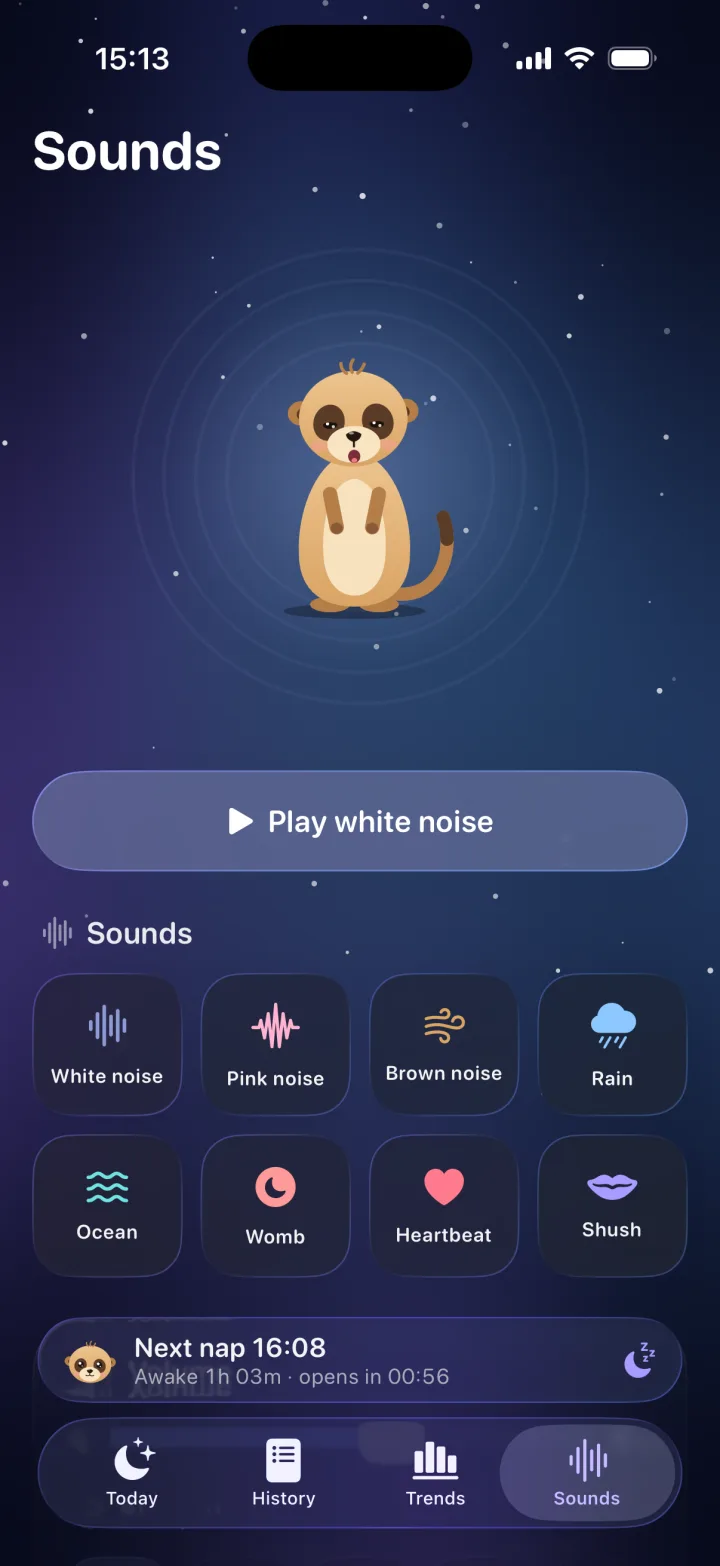
Rain, ocean, womb, heartbeat, shush and more, mixed for little ears. Set a timer and the sound fades gently, so it doesn't stop with a jolt.

  • Three sounds free, all eight with Plus
  • Gentle fade-out timer
  • Keeps playing with the screen locked
Sleep sounds: white noise, rain, ocean, womb and heartbeat

09 / 10

The problem“‘How many feeds a day?’ asks the pediatrician. Your mind goes blank.”

✓ With Amelia

See the week.
Not just the night.

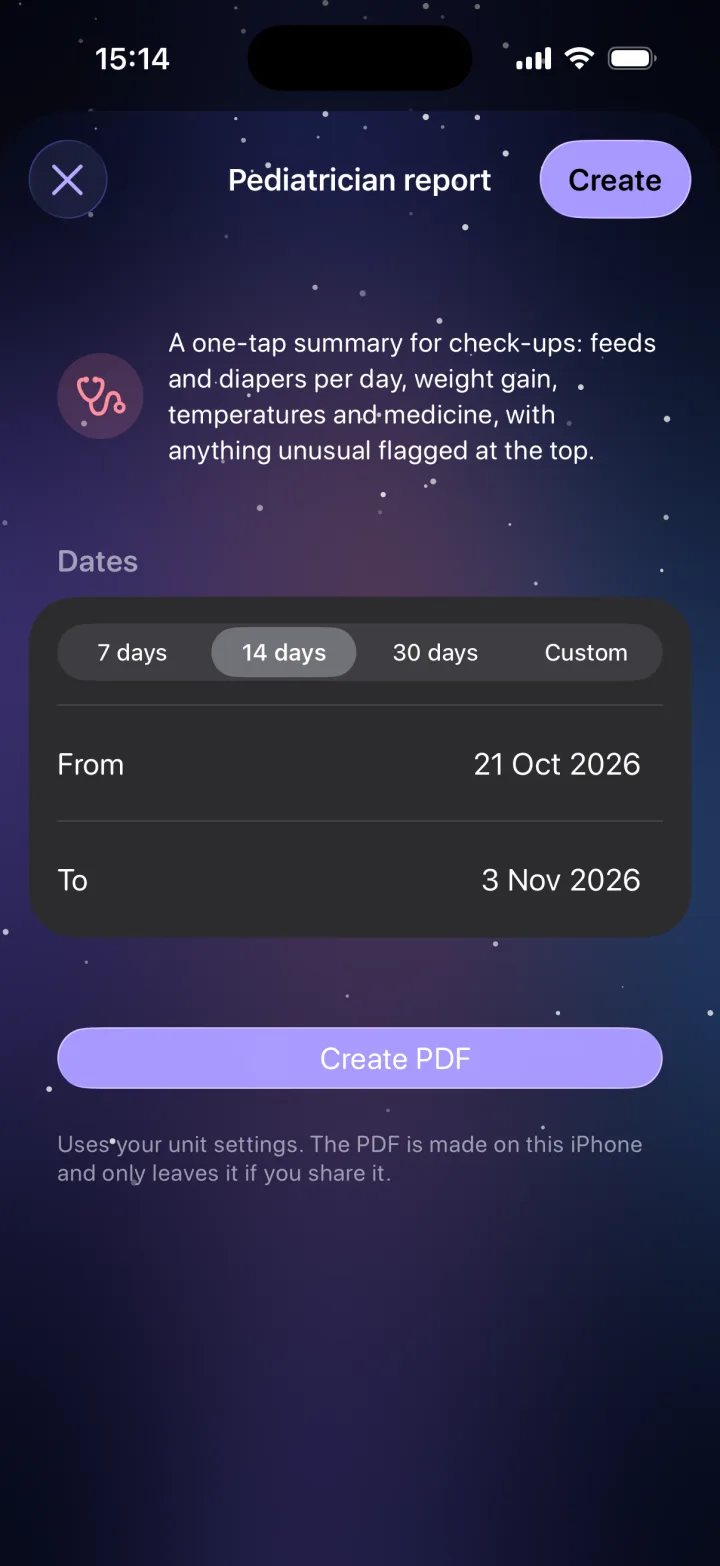
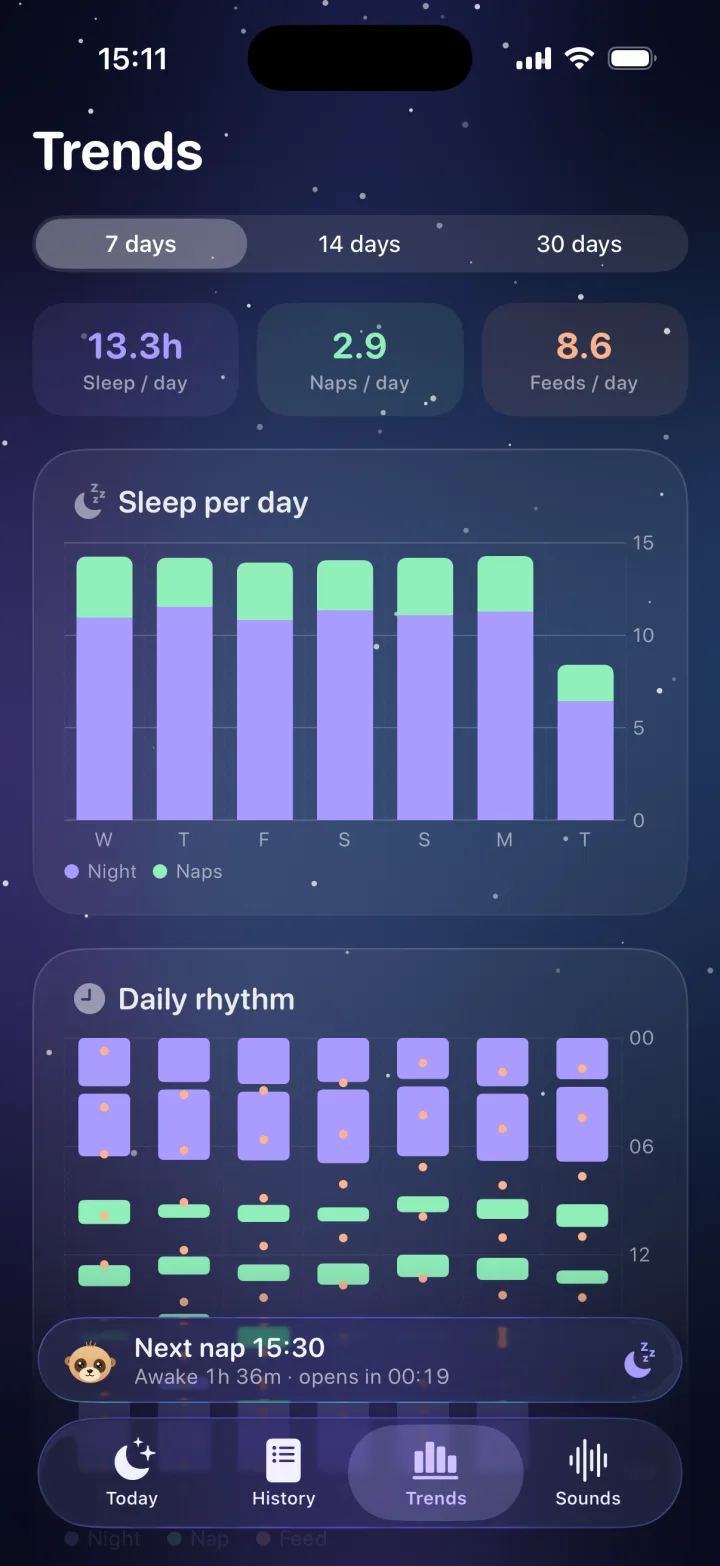
Sleep, naps and feeds per day, and the daily rhythm at a glance. Before a check-up, turn your logs into a one-page summary for the pediatrician, built on your iPhone.

  • Seven days of trends, free
  • Longer trends and evening recaps Plus
  • Pediatrician PDF Plus
Pediatrician report builder
Trends: 13.3 hours of sleep, 2.9 naps and 8.6 feeds per day

10 / 10

The problem“Did you change her? When? I fed her at… wait, did you?”

✓ With Amelia

Two parents.
One calm log.

The partner who ticked the hospital bag list sees every nap, feed and diaper too. Invite a grandparent or the nanny the same way. Sync runs through iCloud, so nobody needs an Amelia account.

  • Free partner sync, from the bump onwards
  • No sign-up, no email, no password
  • Twins and siblings Plus
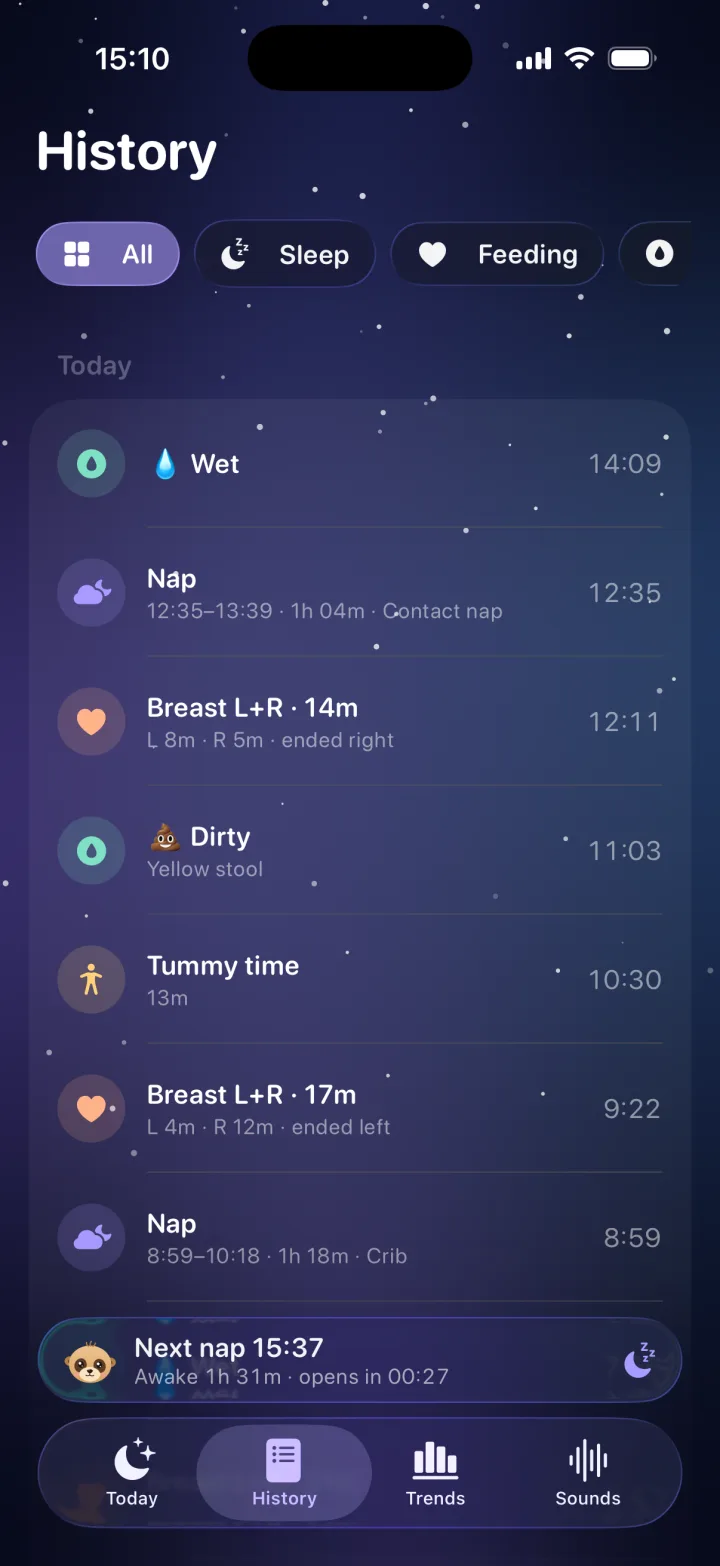
History of naps, feeds and diapers
Two babies, Leo and Mia, side by side
AmeliaHi! I'm Amelia. I'm with you from the bump, and through every bedtime after.
Amelia the meerkat

Meet your night-shift buddy

A meerkat who's
always on watch.

Meerkats take turns keeping watch so the whole family can rest. Amelia does the same: she talks you through the birth plan, keeps calm when contractions start, then watches the clock through every nap. She even dresses up for the season.

And all the little things

Thoughtful down
to the last diaper.

🍼Bottles, pumping & solids

Every kind of feed, in one tap, with amounts and notes.

🧷Diapers

Wet, dirty or both, with colour so you can spot changes.

🌡️Temperature & medicine

Doses and readings, timed, ready for the doctor's questions.

📏Growth

Weight, length and head, with the curve over time.

⭐️Milestones

First smile, first roll, first tooth. Kept with the day.

🔔Gentle nudges

A reminder at the right week, never a nag.

📱Widgets & Shortcuts

Home Screen, Lock Screen and Siri, all one tap away.

🦶Kick counter

Count movements in a session and see the history.

🎩Dress-up

Nightcaps, scarves and seasonal outfits for Amelia.

🌙Evening recaps Plus

Amelia sums up the day and suggests one small thing for tomorrow.

👶👶Twins & siblings Plus

Each little one gets their own rhythm and day.

🌍Five languages

English, Português, Español, Français and Deutsch.

Private by design

Your baby's day.
Nobody else's business.

Sleep, feeds, health and a birth plan are about as personal as data gets. Amelia is built so that it stays between you and the people you invite.

🔑No account

We never ask for an email or a password. Open the app and start.

🚫No ads. Ever.

Nothing to scroll past at 3 a.m. You're the parent, not the product.

☁️Your own iCloud

Logs sync between your devices and your partner's through iCloud.

📄PDFs made on device

The birth plan and pediatrician report are built on your iPhone.

Simple pricing

Free for the whole pregnancy.
Plus for the nights.

AmeliaEverything you need, every day

Free

  • Every pregnancy tool: birth plan, Contraction Care, kick counter, lists
  • One-tap sleep, feeds, diapers, health and growth
  • Age-based nap window
  • Live Activities, widgets and Shortcuts
  • Partner sync through iCloud
  • Three sleep sounds and seven days of trends
  • Dress-up for Amelia
Download free
7 days free
Amelia PlusFor confident nights

Plus Monthly, yearly or lifetime

  • Nap windows tuned to your baby's own rhythm
  • Amelia's tips and evening recaps
  • Pediatrician PDF
  • Trends beyond seven days
  • Twins and siblings
  • All eight sleep sounds
Try Plus free for 7 days

Free week on the yearly plan. Cancel anytime from your Apple ID.

Questions

Good to know.

Is Amelia free?

Yes. Every pregnancy tool is free, and so is everyday logging of sleep, feeds, diapers, health and growth, with the age-based nap window, Live Activities, widgets, partner sync, three sleep sounds and a week of trends. Amelia Plus adds nap windows tuned to your baby's own rhythm, Amelia's tips and evening recaps, the pediatrician PDF, longer trends, more than one baby and all eight sounds.

I'm still pregnant. Is Amelia for me?

Very much. Amelia starts with the bump: week by week, a kick counter, a guided birth plan, Contraction Care and every list for the big day. When the baby arrives, tap “My baby is here” and Amelia switches to baby mode, with everything you've set up still in place.

Do I need to create an account?

No. There's no sign-up, no email and no password. Open the app, tell Amelia your baby's name (or due date) and start.

Can my partner use it too?

Yes, for free. Invite them from Settings and they'll see every nap, feed and checklist tick on their own iPhone. Sync runs through iCloud, so they don't need an Amelia account either. You can invite grandparents or a nanny the same way.

How does Amelia know when the next nap is?

From the start, Amelia uses wake windows that are typical for your baby's age. With Amelia Plus, she compares every wake window you log with that guide, and after about five days your baby's own rhythm leads every prediction.

Is Contraction Care medical advice?

No. It's general guidance that keeps the count for you and always points you to your care team. If something feels wrong, or you're unsure, call your maternity unit or emergency services. The number is one tap away in the app.

What about twins or a big sibling?

Amelia Plus lets you add more than one baby. Each one gets their own rhythm, nap windows and day, and you can switch between them in a tap.

Which languages and devices?

Amelia is for iPhone on iOS 18 or later, in English, Português, Español, Français and Deutsch. Live Activities and the Dynamic Island need a supported iPhone.

Is there an Android version?

Not yet. Amelia is on iPhone today.

Amelia app icon

Amelia's ready
when you are.

Start with the bump, stay for the bedtimes. Free to begin, with no account and no ads.

Free on iPhone · No account · No ads

AmeliaFree on iPhoneGet